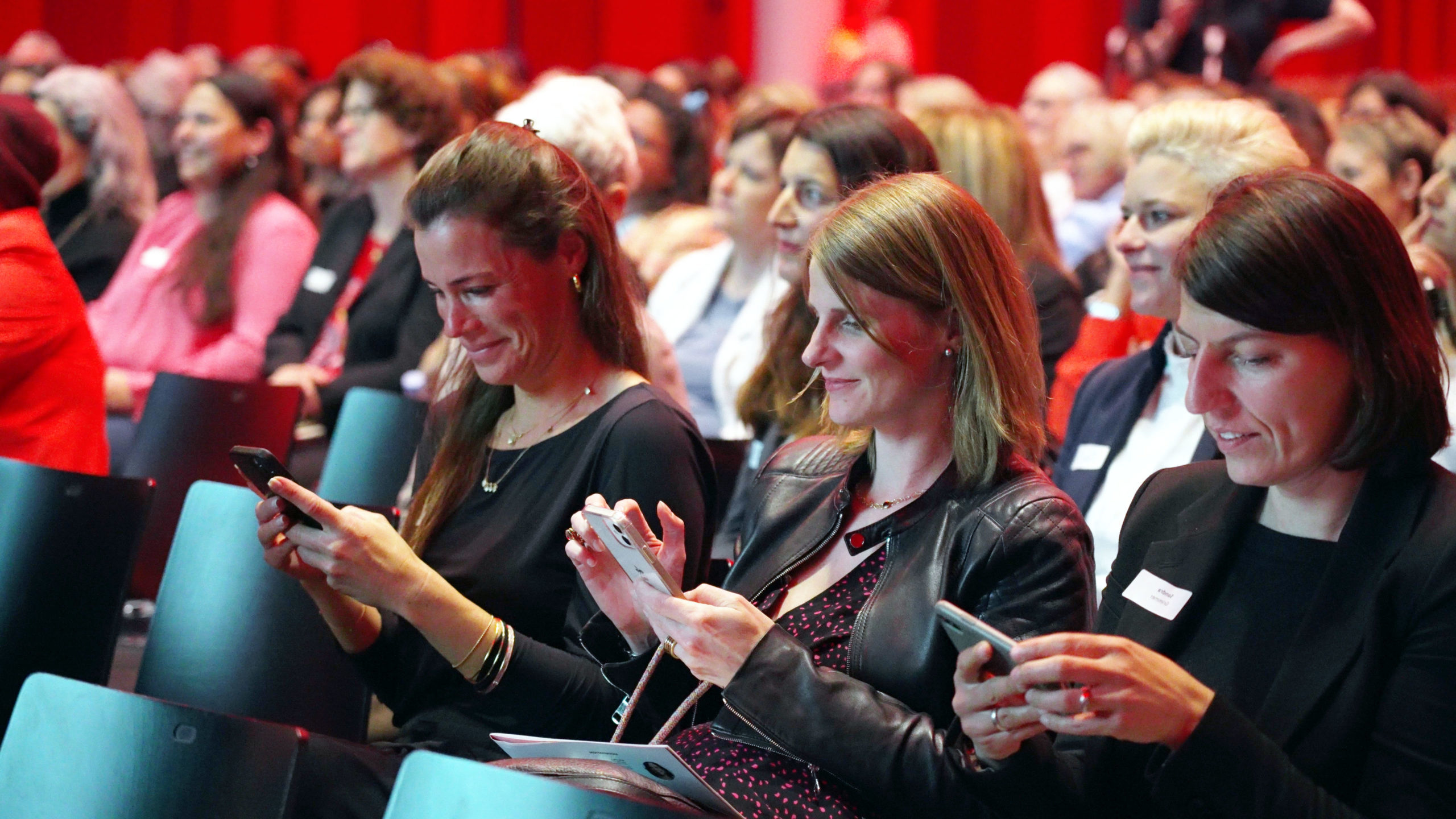
Mobile phones can distract attendees, but they can also make an event easier to navigate, more inclusive, and more interactive. The difference lies in whether organisers give the device a useful role.
Trying to ban phones rarely solves the real problem. People keep reaching for them when the event does not provide enough orientation, enough participation, or enough relevance. A better approach is to decide where phones should help and where they should stay out of the way.
Table of Contents
Logistics and inclusion
Mobile ticketing and mobile check-in
Mobile ticketing reduces friction before attendees even enter the venue. It shortens queues, cuts printing problems, and makes last-minute updates easier to communicate. For organisers, it also improves visibility on arrivals and no-shows.
Real-time, mobile-friendly event schedule
Schedules change. A mobile-friendly programme helps attendees react without hunting for printed updates or asking staff basic questions. It also reduces uncertainty for remote or first-time participants.
Provide location-based information with NFC beacons
Location-aware information can guide people through complex venues, sponsor areas, breakout sessions, or exhibitions. The value is not the technology itself. The value is reducing confusion at the exact point where people need an answer.
Real-time subtitling on mobile phones
Mobile subtitling can improve accessibility for attendees who are hard of hearing, attending in a second language, or dealing with a noisy environment. It is one of the clearest examples of mobile phones making the event more inclusive rather than more distracted.
Remote participation via live-streaming and mobile phones
For many audiences, the mobile phone is the default screen for remote participation. That means event streams, registration flows, and programme information need to work properly on smaller screens if remote access is meant to feel realistic.
Improved networking between attendees
QR-codes on badges allow easier networking
Badge QR codes can turn a brief conversation into an easy follow-up. Instead of exchanging business cards or retyping contact details, attendees can save information immediately and continue the conversation later with less friction.
Allow Attendees to check in to sessions and see who else checked-in
Session check-ins can support networking when they are used carefully and transparently. People gain a clearer sense of who shares a topic interest, while organisers gain better insight into participation patterns across the programme.
Mobile phone free networking
Not every networking moment should be digital. Some events benefit from explicitly phone-free segments or zones that encourage focused conversation. This works best as an invitation, not as punishment, and only when attendees still have a practical way to save notes or contact details afterwards.
Engaging talks and presentations
Interactive talks with Q and A, reactions walls, and feedbacks
Phones can help quieter attendees ask better questions. Moderated Q and A, simple reactions, and live feedback channels make it easier for the audience to contribute without forcing everyone to speak into a room microphone.
Encourage speakers to take pictures and share them immediately with the audience
When done naturally, this can make a session feel more personal and memorable. A speaker sharing one relevant image, backstage moment, or example directly with the audience can extend the talk beyond the stage without turning it into noise.
Transforming mobile phones into audience microphones
In some formats, mobile microphones or moderated audio tools can speed up audience participation and reduce awkward queues. They are useful when the process is simple, clearly moderated, and technically reliable. Otherwise they create more friction than they remove.
Push social media coverage of your event
Instagram Museum like experience
If you want attendees to share the event, give them something worth sharing. Stages, sponsor areas, installations, and visual moments should be designed to look good on a phone camera, not only from the front row.
Collaboration with influencers
Influencer partnerships can widen reach when there is a real overlap between the event and the influencer’s audience. The strongest collaborations feel native to the programme and give the audience a reason to engage beyond a staged photo opportunity.
Photo booth that shares immediately the pictures to mobile phones
Fast delivery matters. If people receive their photo immediately on their phone, they are far more likely to keep it, share it, and remember the interaction positively. That makes the booth more useful for both guests and sponsors.
Location-based photo filters and overlays
Custom filters and overlays can add a light social layer to an event if they fit the tone of the audience. The best ones are simple, recognisable, and easy to use. Overdesigned gimmicks usually get ignored.
Increase engagement with event sponsors
Lead forms with QR codes
QR-based lead capture can make sponsor interactions more efficient for both sides. Attendees get quick access to an offer or follow-up, while sponsors receive cleaner intent data than from a bowl of business cards collected at random.
Virtual games scavenger hunts
Scavenger hunts can motivate movement through a venue and create sponsor touchpoints without making the experience feel like a hard sell. They work best when the game is simple, the rewards are credible, and the sponsor logic is clear.
Real-time Attendee feedback Satisfaction questionnaire at the end of the event
Short mobile feedback forms are more likely to be completed while the event is still fresh. They can also help sponsors and organisers understand which sessions, activations, or service elements actually created value.
Requirements to push the adoption of mobile phones at your event
Robust Wi-Fi
Without stable connectivity, mobile-first event ideas fall apart quickly. Capacity planning matters just as much as raw speed because hundreds of simultaneous connections can overwhelm a venue that looks fine on paper.
Dedicated, flexible event app
An event app should solve practical problems first: schedule, navigation, alerts, participation, and relevant profiles. If it exists only as a container for sponsor banners, people will abandon it.
Optimize website and content for mobile
Event information has to load quickly and read cleanly on a small screen. Registration pages, maps, speaker pages, and streams themselves all need a mobile-first check before the event starts.
Charging Stations
Charging remains basic infrastructure. If phones are part of the event design, battery anxiety becomes an event problem too. Well-placed charging points reduce that friction and can also create useful dwell areas.
Test connectivity before event
Test all key flows in realistic conditions: check-in, streaming, feedback, networking, app updates, and sponsor activations. Assumptions made in an empty venue often fail once the audience arrives.
Dedicated support stations
People need somewhere to go when the app fails, the QR code does not scan, or the stream refuses to load. Visible support reduces frustration and protects the overall event experience.
Evaluate the success of the mobile phone usage
Quantitative Measurements
Track the basics: app usage, participation in polls and feedback, scans, session check-ins, stream views, sponsor conversions, and connectivity performance. These numbers show whether the mobile layer was actually used.
Qualitative Measurements
Numbers alone do not tell you whether the mobile experience felt helpful or irritating. Ask attendees what made the event easier, what felt unnecessary, and where the phone genuinely improved access, networking, or understanding.
The most useful mobile features are usually the ones attendees stop noticing because they simply work.
FAQ
Are mobile phones mainly a distraction at events?
They can be, but only if the event gives them no better role. Used deliberately, they improve access, orientation, participation, and follow-up.
What is the most useful mobile feature for many events?
Usually a reliable mobile schedule with updates, practical venue information, and easy participation tools. These basics often matter more than novelty features.
Do event apps always increase engagement?
No. They increase engagement only when they solve real attendee problems. An app without clear utility tends to be ignored.
How should organisers decide where phones should be used?
Use them where they reduce friction or improve inclusion. Limit them where the event depends on focused conversation or concentrated listening.